
26-10-22 Release Notes: Journal & Chart Enhancements/Platform fixes
TradeTool Platform
Release Notes
Trade Journal Upgrades
The Journal AI system has been substantially improved and now offers more in-depth analysis. Select one or more accounts, filter your timeframe, click AI, and go!
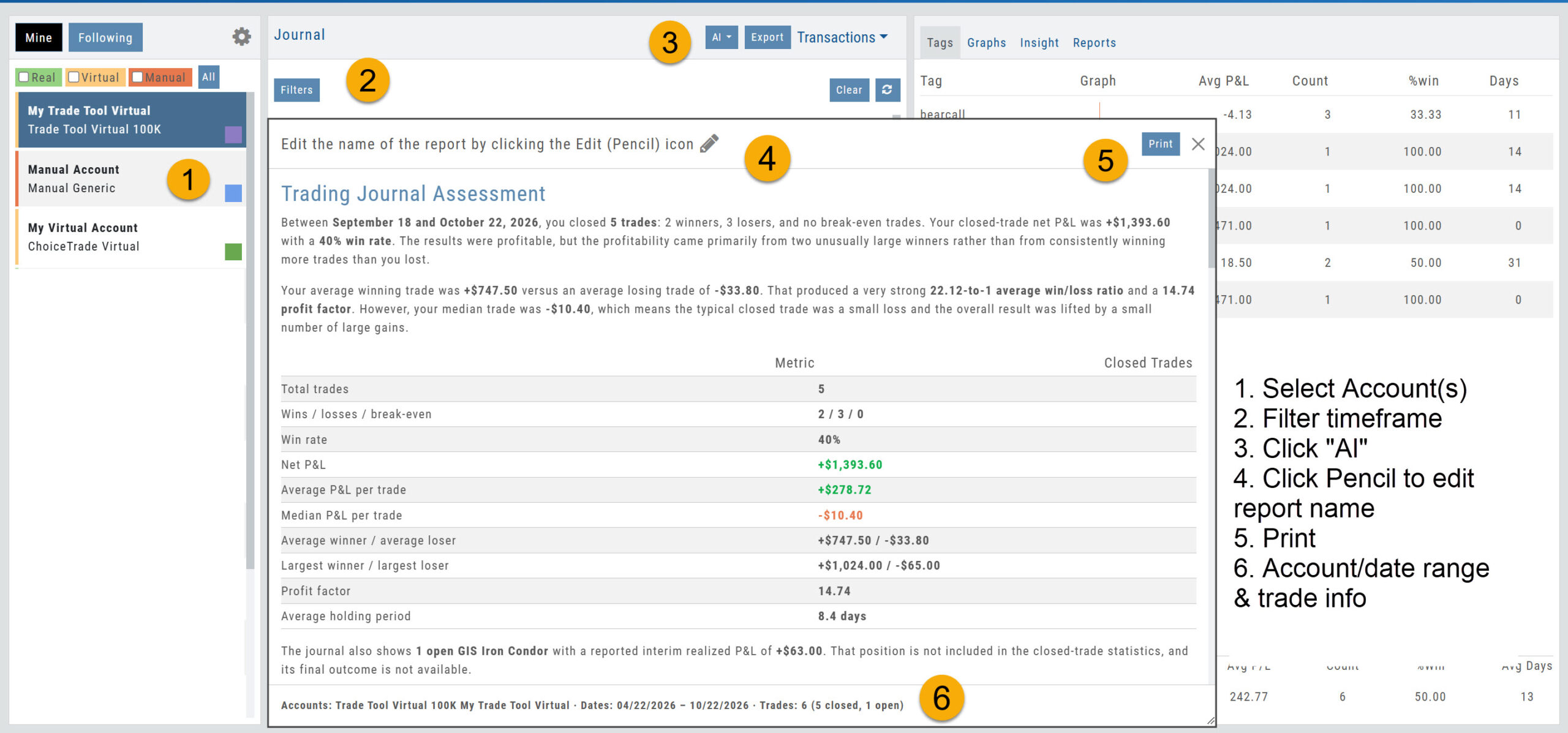
The resulting report provides
- An overall Assessment
- What's working / What needs improvement
- Strategy Analysis
- Risk & Trade Management
- Patterns and Observations
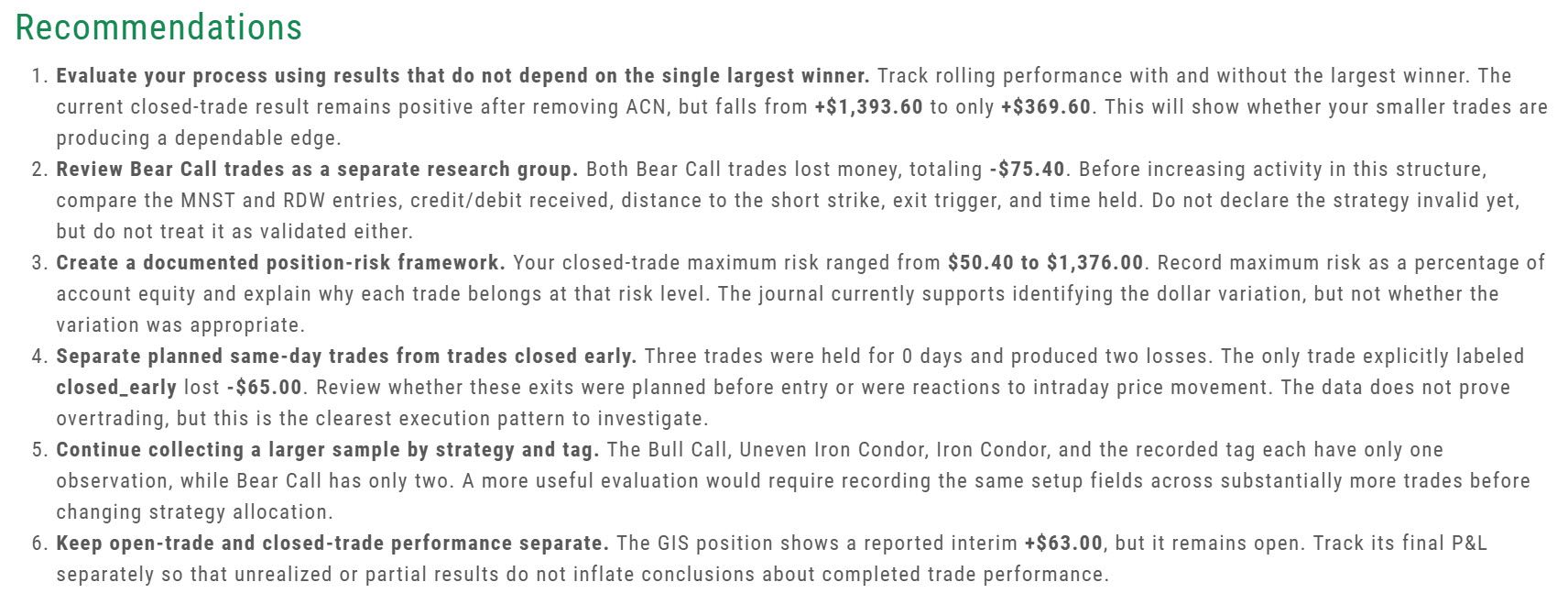
- Recommendations for improvement
Trade From Chart
Trade From Chart lets you set up a trade by clicking on the price chart.
- Smarter default stop. The suggested stop is based on the ATR (Average True Range), which measures a stock's usual price movement. The stop is set 1.5 times the ATR away from your entry price, so a stock with wider swings gets a wider stop, allowing for normal day-to-day moves. The target and stop are based on the chart interval you are viewing, using the last 14 bars: on a daily chart that's 14 days, and on a 5-minute chart it's 14 five-minute bars (70 minutes).
- Your levels stay in view. If either the Target Price or Stop Price is above or below the current chart view, the chart 'zooms' out automatically to include both.
- New "Tick" option. Set Targets and Stops by $, %, and now "Ticks" (the smallest amount a stock can move) in 1-cent increments.
Whichever Range choice you pick ($, %, or T) now stays selected (sticky).
Chart Improvements
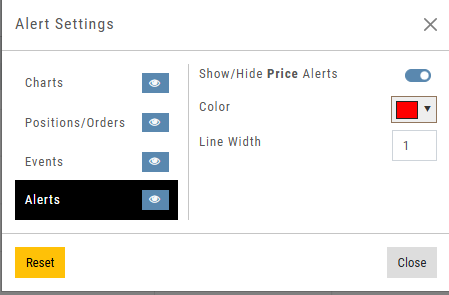
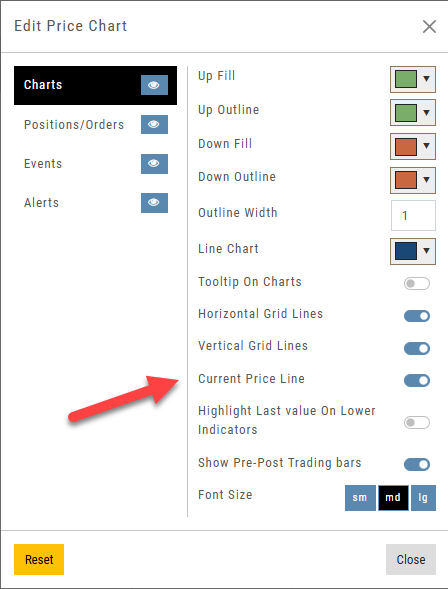
- Alerts on the chart. Price alerts you've set now show as lines on the chart, so you can see where they will go off. In addition, you can turn this feature on or off as you wish. This can be found in Chart Settings under Alerts.
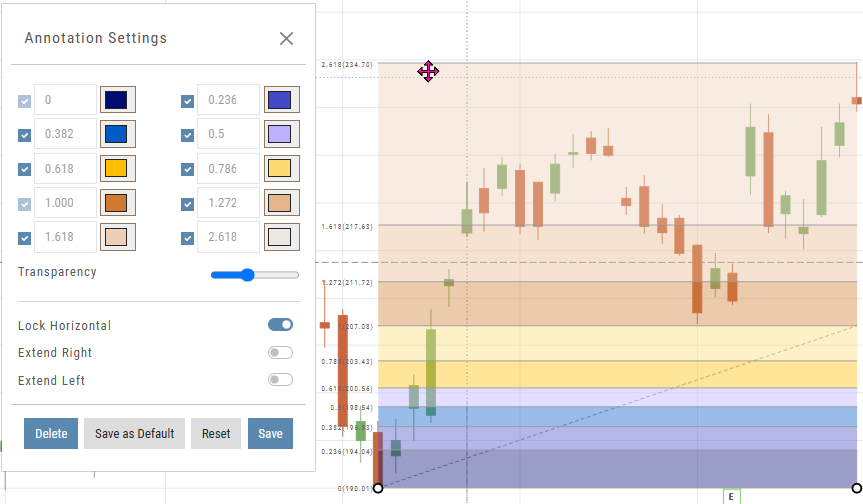
- Fibonacci "Lock Horizontal" switch. The Fibonacci tool draws lines at key levels where a price often pauses or turns around. "Lock Horizontal" keeps the tool level while you draw, making it easier to place.
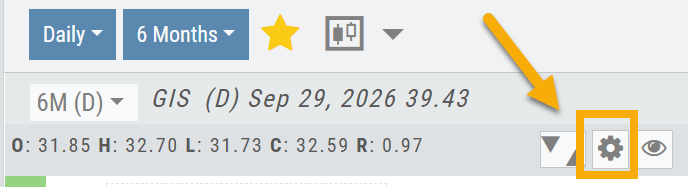
- Hide the current price line. The Price Chart controls, accessed as shown below, allow you to hide the current price line across the chart. The current price label still appears on the right edge of the chart.
Resetting Your Practice (Virtual) Account
- Resetting the Balance. This refills your cash and updates your Account Value. Any open positions are unaffected. Note: Your total Account Value may not match the reset amount if you have open positions.
Change Log
- AddedDonchian Channel — description added.
- FixedReward/Risk ratio — corrected for limit orders.
- ImprovedPractice Account — when either the Bid or Ask is $0.00, the system now treats it as $0.01 so you aren't stuck in a trade.
- Added"Cash Balance" field — the Account Summary tab shows your cash balance: the money not yet in a trade.
- ChangedStrategy Templates — error message reworded for clarity.